Show SIP Connections
You can display a list of SIP Connections that are connected to a specific SBC device. The connection represents the link between the SBC device, the SIP trunk or IP-PBX and the User Management Pack 365 SP Edition.
| ➢ | To show SIP Connections: |
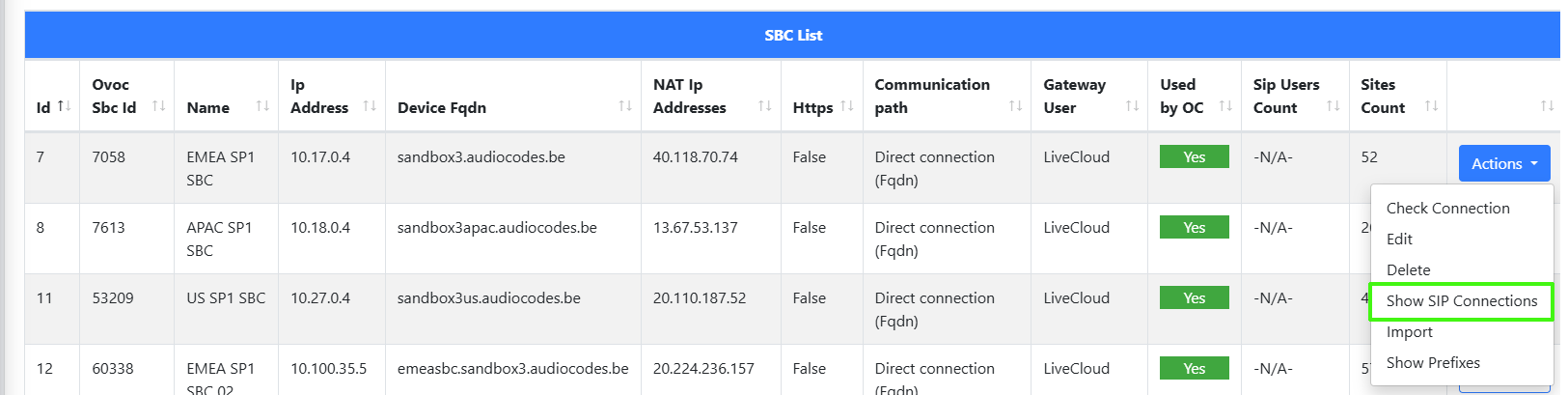
| 1. | In the Known SBCs page, select an SBC device, and then from the Actions drop-down, select Show SIP Connections. |
A list of SIP Connections that are connected to the selected SBC device are displayed.
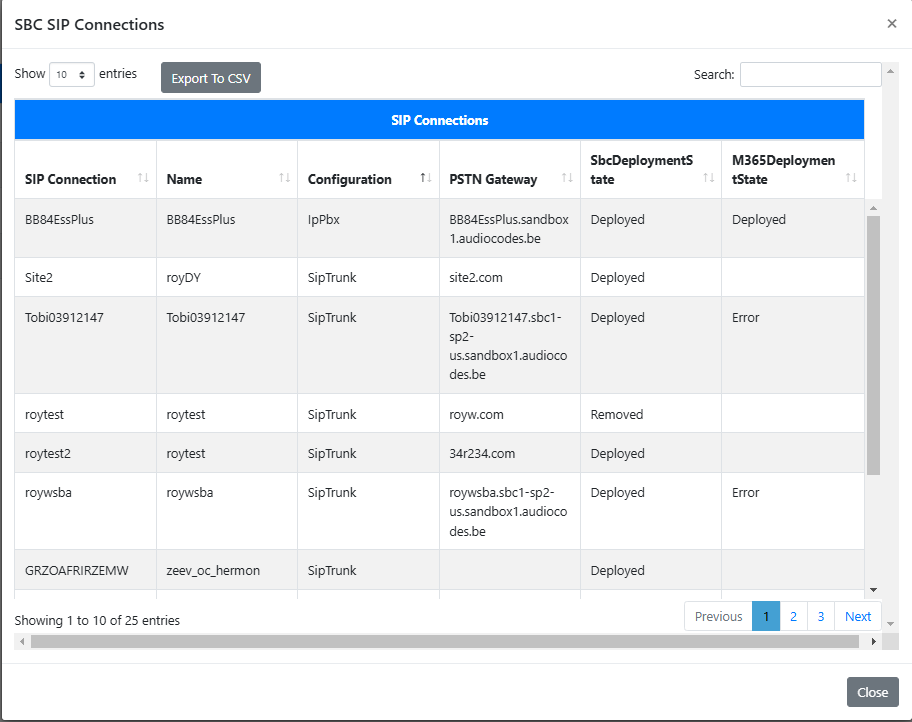
The table below describes the parameters in this table.
|
Parameter |
Description |
|||||||||
|---|---|---|---|---|---|---|---|---|---|---|
|
SIP Connection |
Name of the SIP Connection. | |||||||||
|
Service Name |
Name of service attached to the location. | |||||||||
|
Configuration |
|
|||||||||
|
PSTN Gateway |
The FQDN of the Online PSTN Gateway that is attached to the SIP Connection. A PSTN gateway (Online PSTN Gateway) in Microsoft Teams Direct Routing is a configuration entity that acts as a pointer to an SBC device. It interfaces Microsoft Teams to a telephone carrier SIP trunk or IP-PBX, allowing external PSTN calling functionality. Key functions include mediating call signaling and enabling voice routing policies.
|
|||||||||
|
SBC Deployment State |
Indicates that the SBC has been successfully connected to the User Management Pack 365 SP Edition. |
|||||||||
|
M365 Deployment State |
Indicates that the SBC has been successfully connected to M365. |
|||||||||
|
Export to CSV |
Click Export to CSV to export the table to a CSV file. |